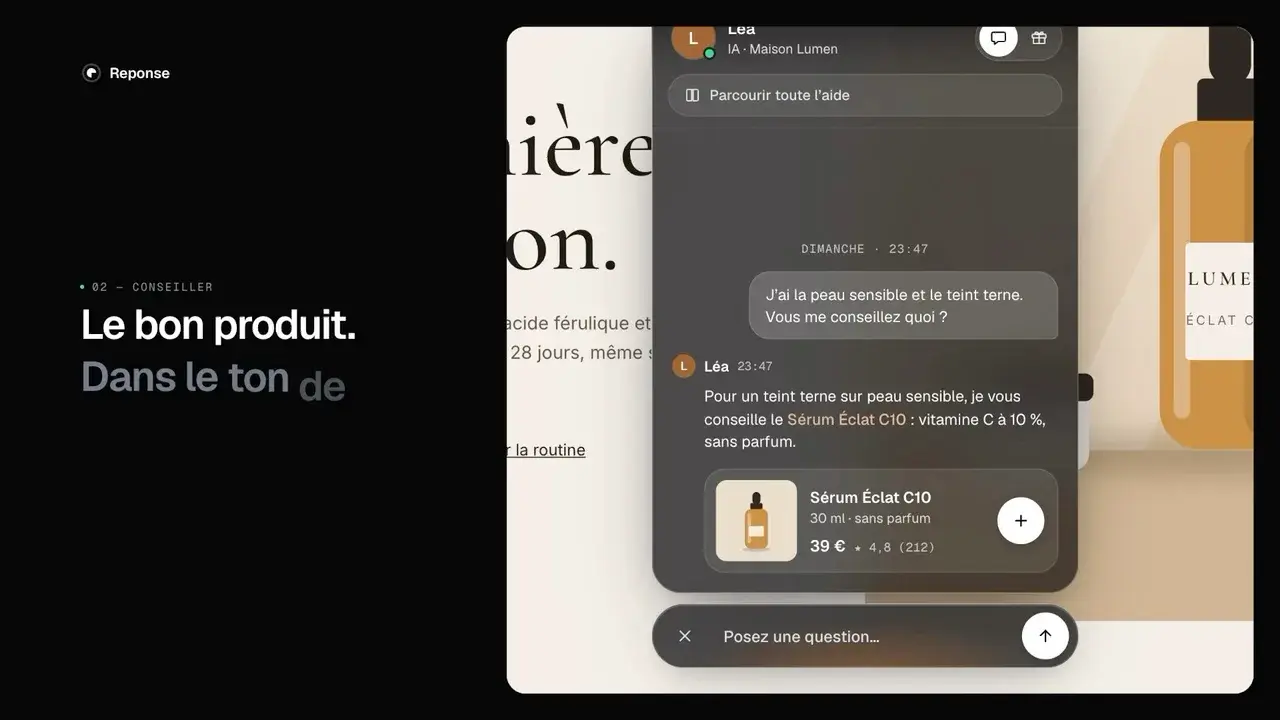
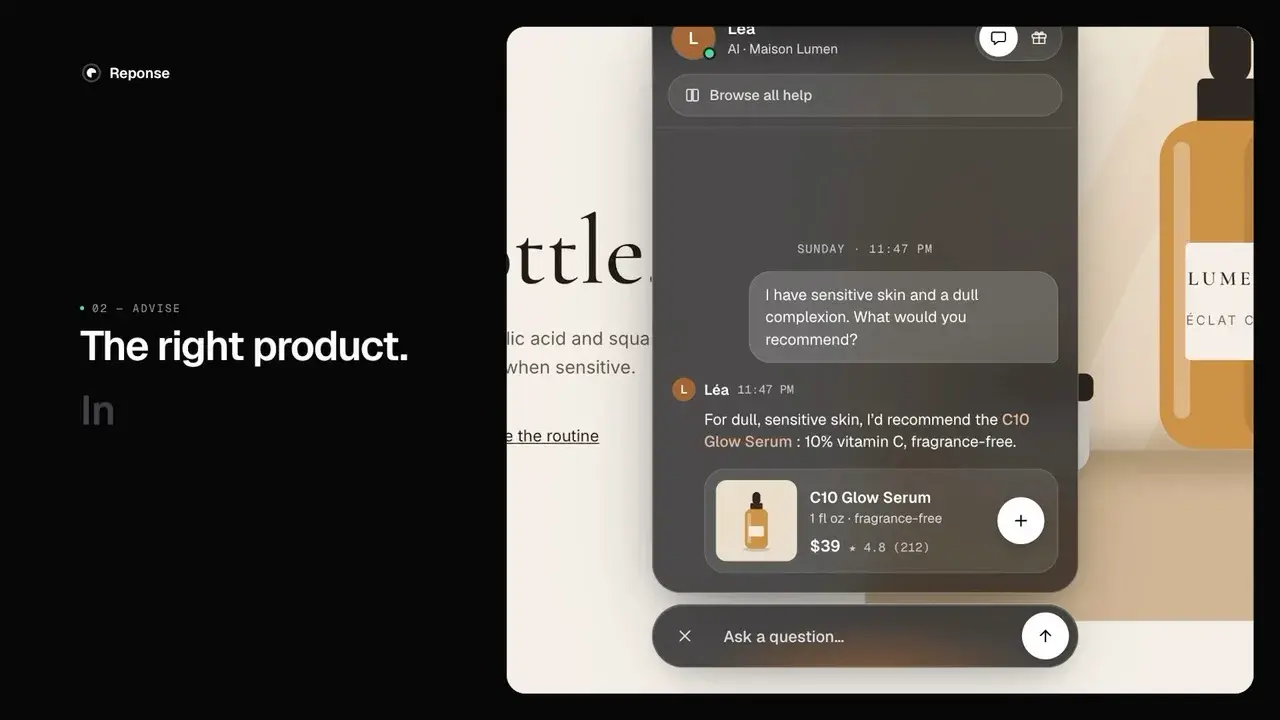
A glass live chat that blends into every store
Context
Reponse is the agentic CX suite for Shopify: live chat, tickets, loyalty and referrals, with AI agents that advise shoppers. The live chat is its shop window: a widget at the bottom of every store that installs the app.
Until now, merchants had to set their colours for the light theme and for the dark theme, and the widget still broke on some stores.
Role
As founder, I wrote the brief, made every design call and led a team of AI agents across the whole cycle: prototype, field test, code, QA and video campaign.
Goals
One widget that blends into every store, with no colour settings, whatever its art direction. Keep the whole journey in the conversation: advice, product card, cart, order tracking, help, human handover and loyalty. And ship it fast, without breaking the stores already using it.
Guest Design: Designing for Sites You Don't Control
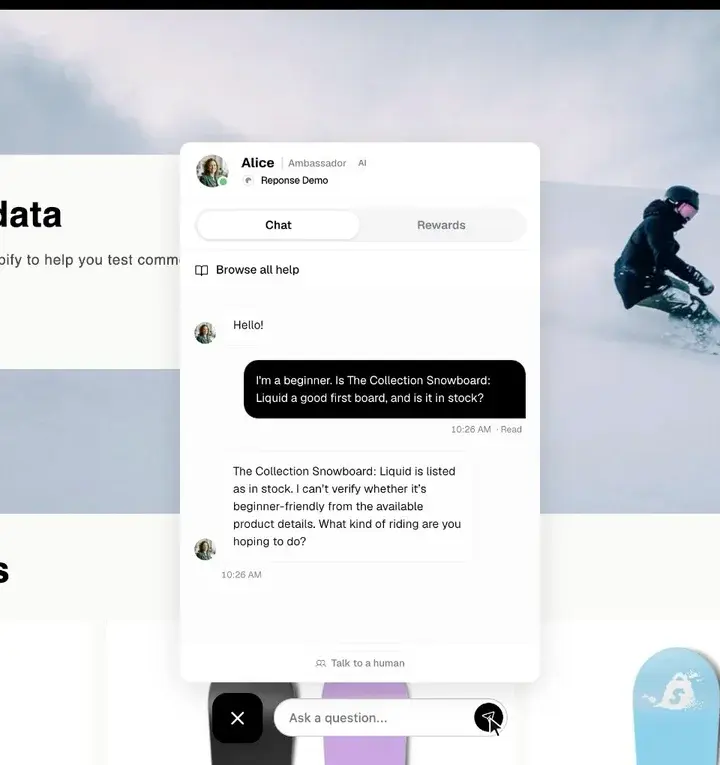
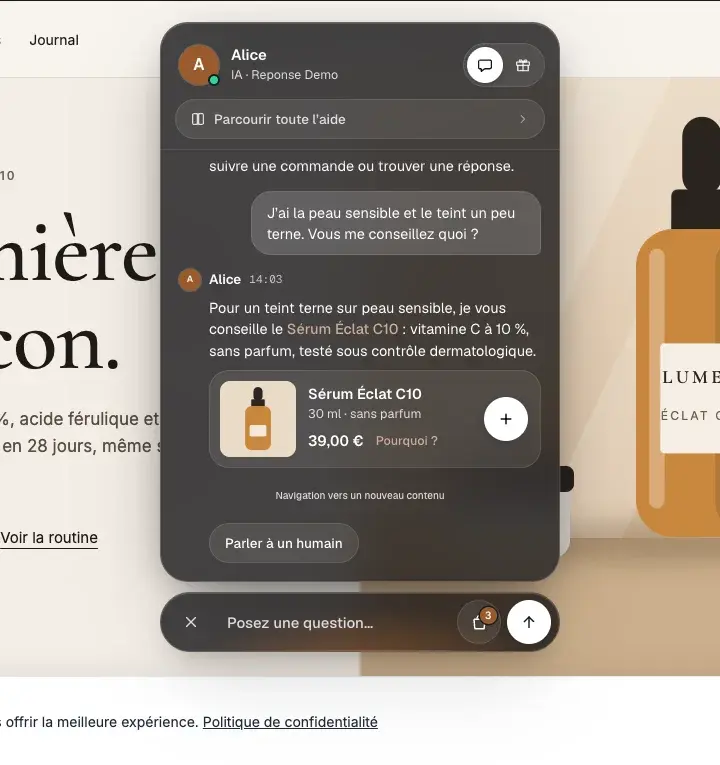
Before, after
The old widget put the same opaque white panel and black bar on every store, and merchants had to set its colours for each theme. The new one lets the store show through the glass, takes on its colour and shows products as cards, with no settings at all.
Glass, a material that fits anywhere
Instead of one theme per store, one material: glass. Two variants blur the page behind them, a smoked glass (dark, white text) and a light glass (black text). A single brand colour, read from the store, lights the avatar, the glow under the bar and the highlighted words.
A few calls made along the way: the bar stays centred, AI is mentioned only once ("AI · store name"), "Talk to a human" is always the last quick reply, and the cart icon shows the item count only, never the price.
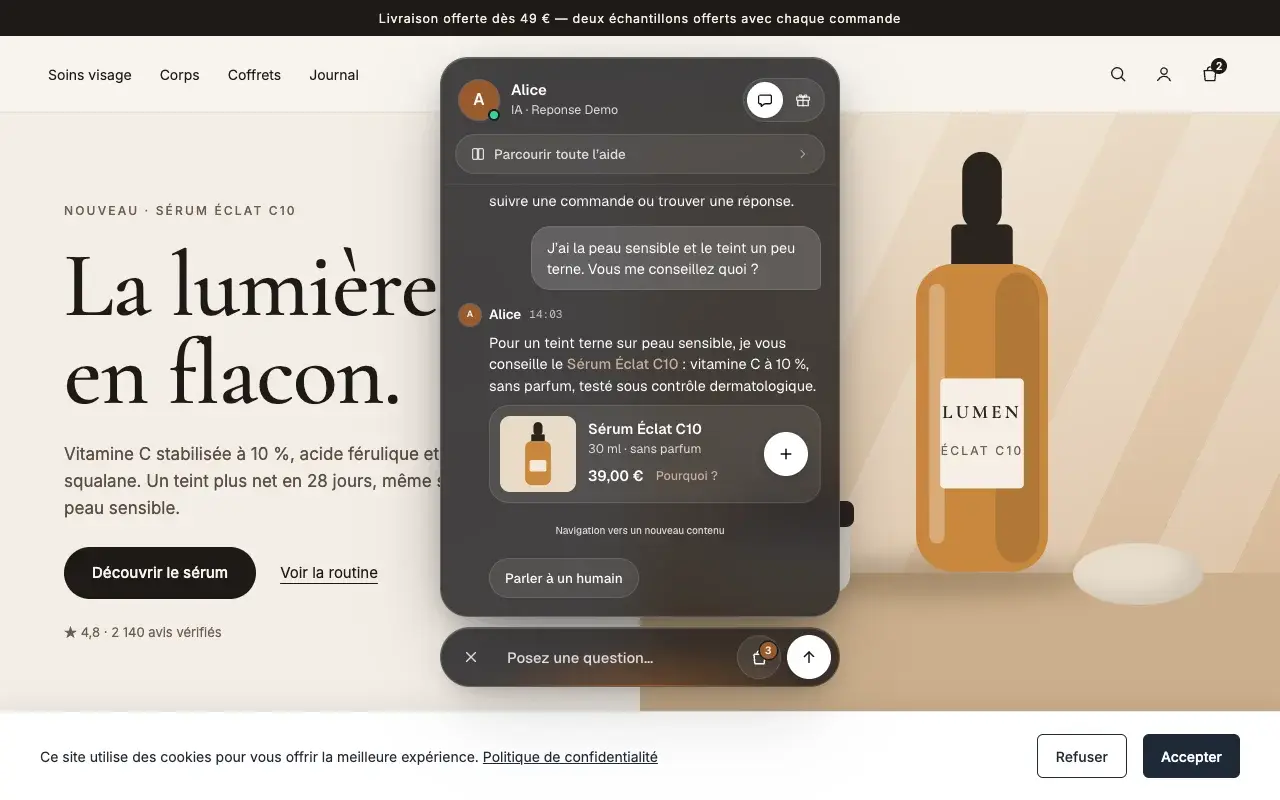
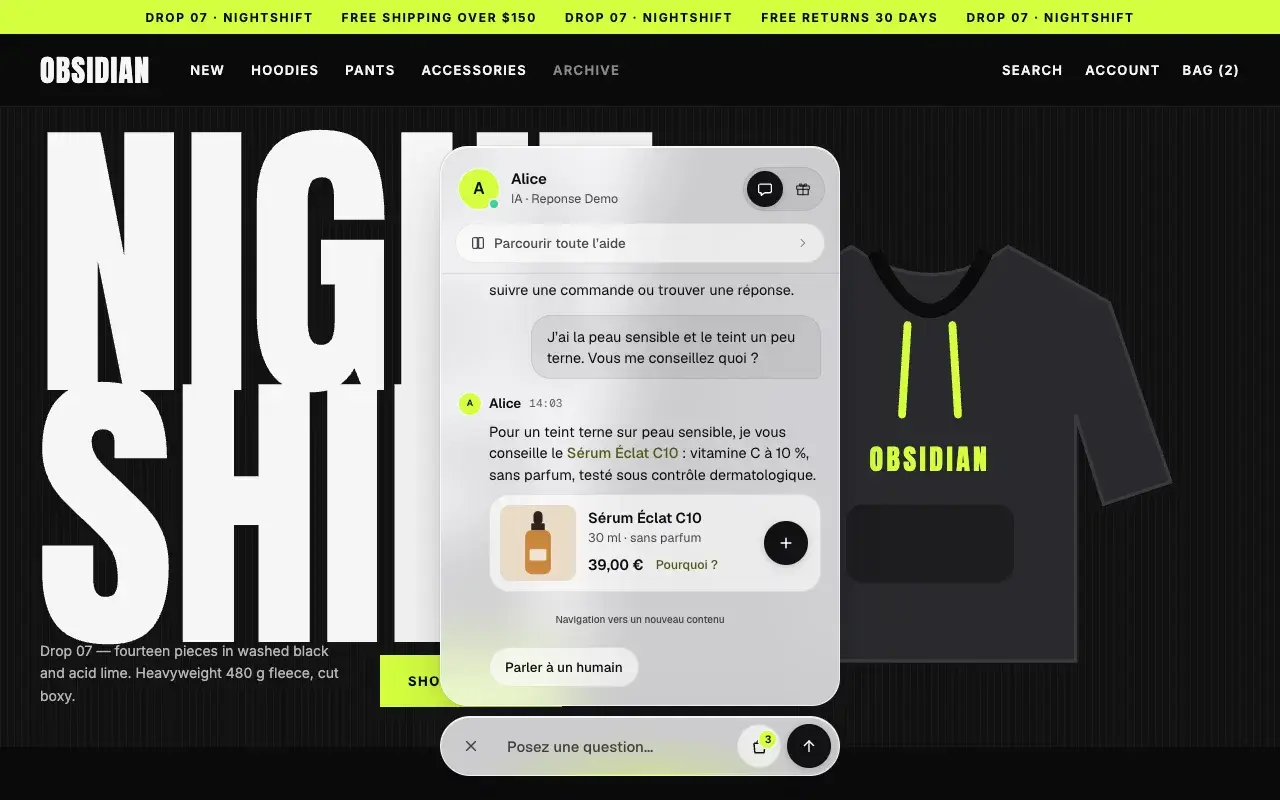
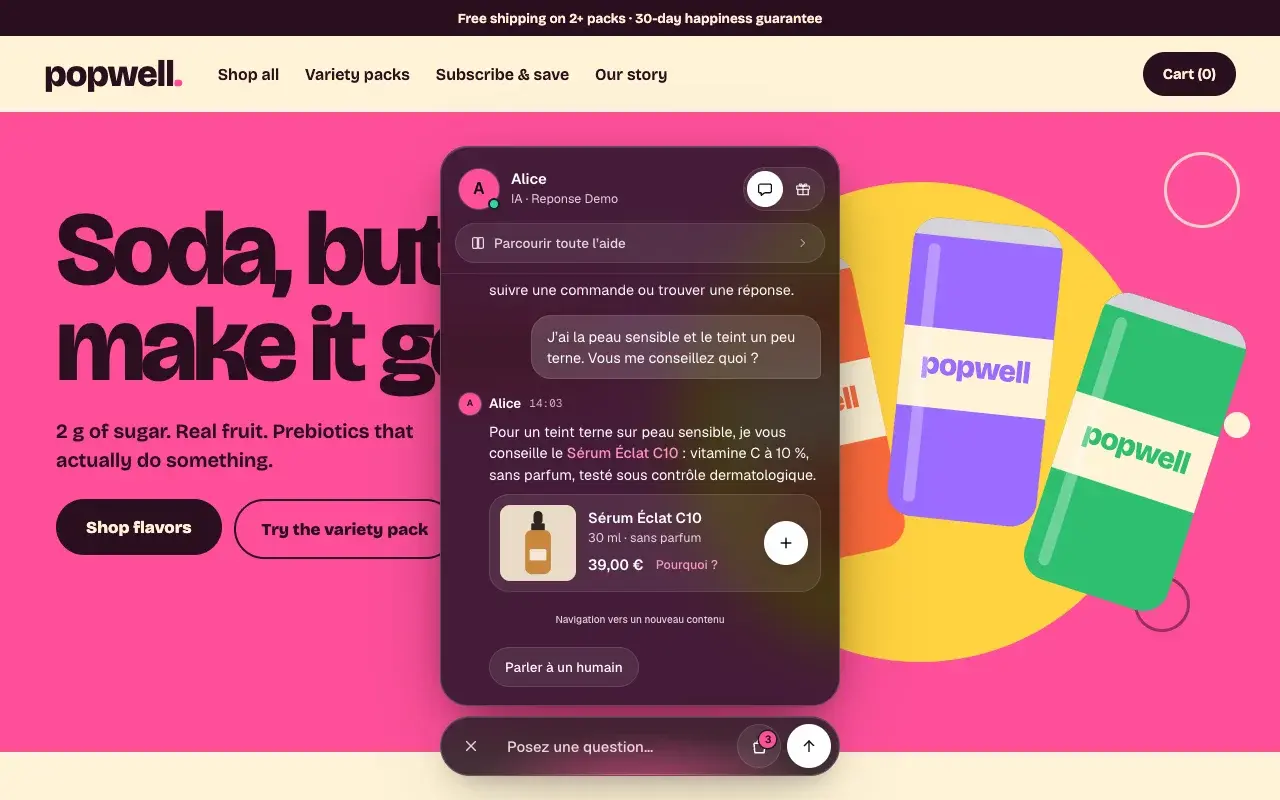
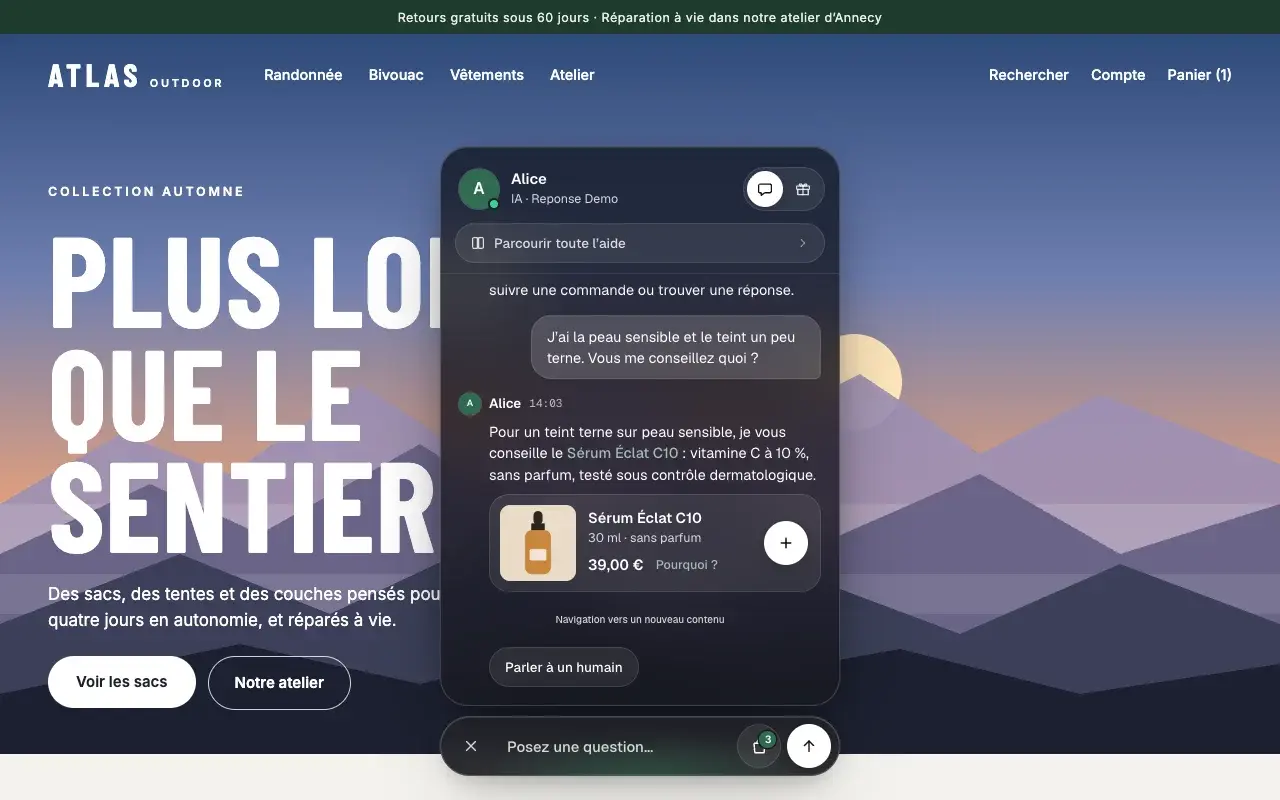
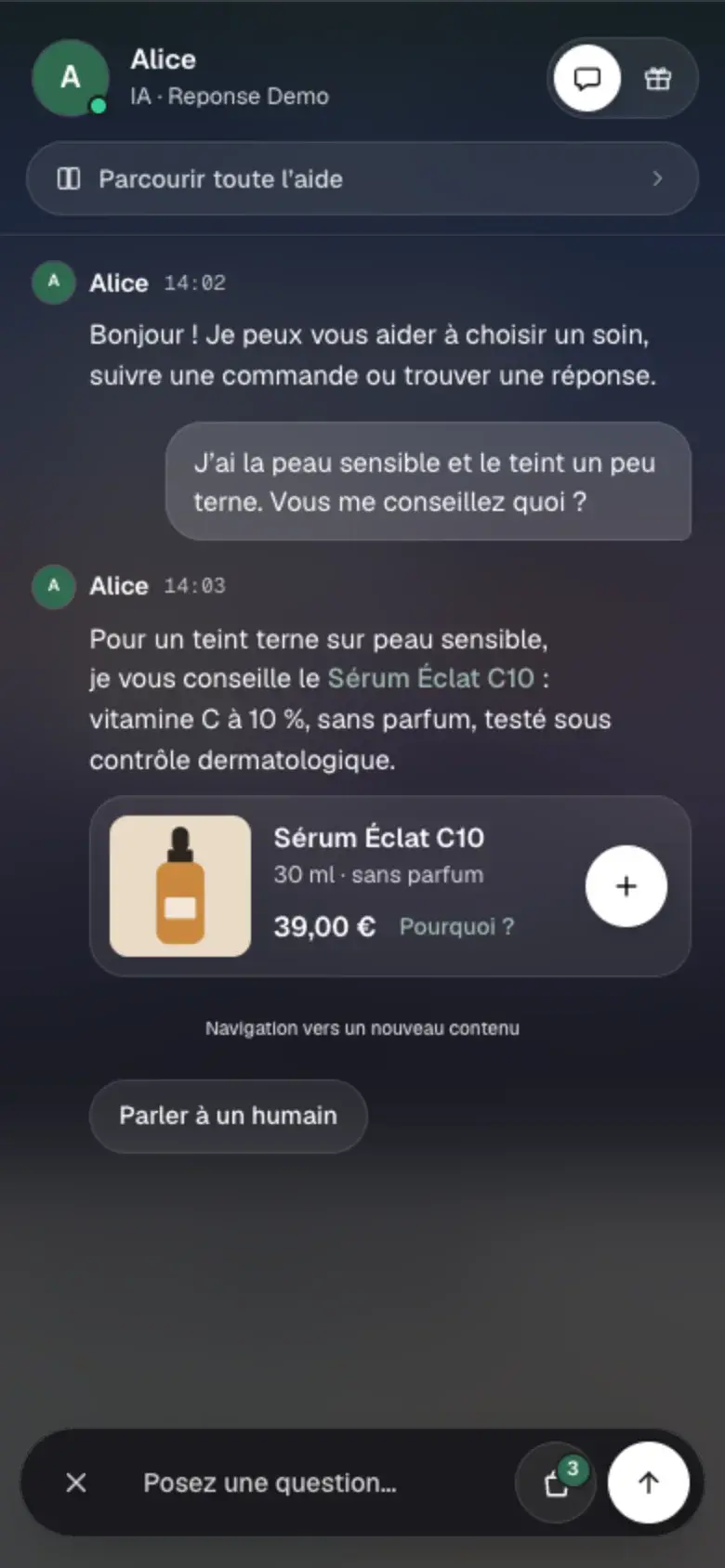
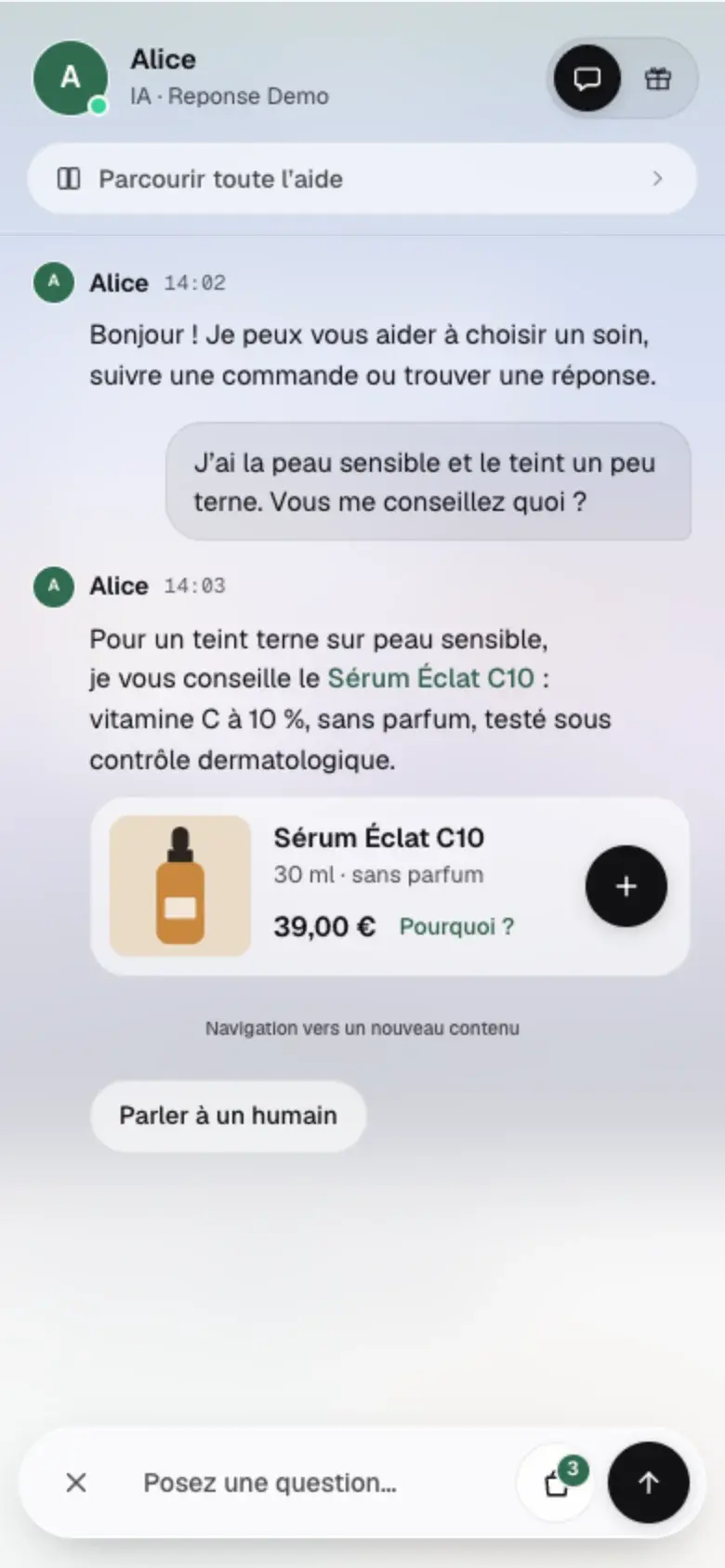
861 real stores before the first line of code
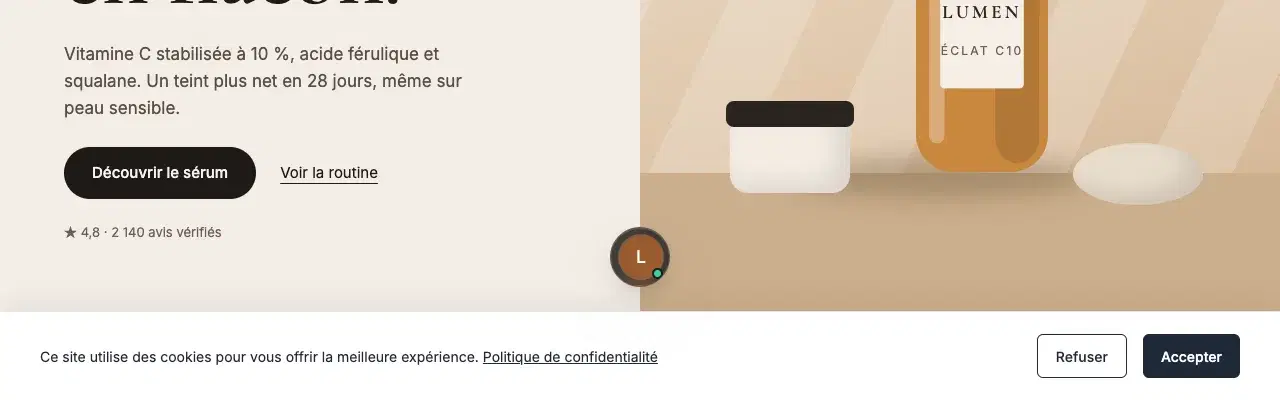
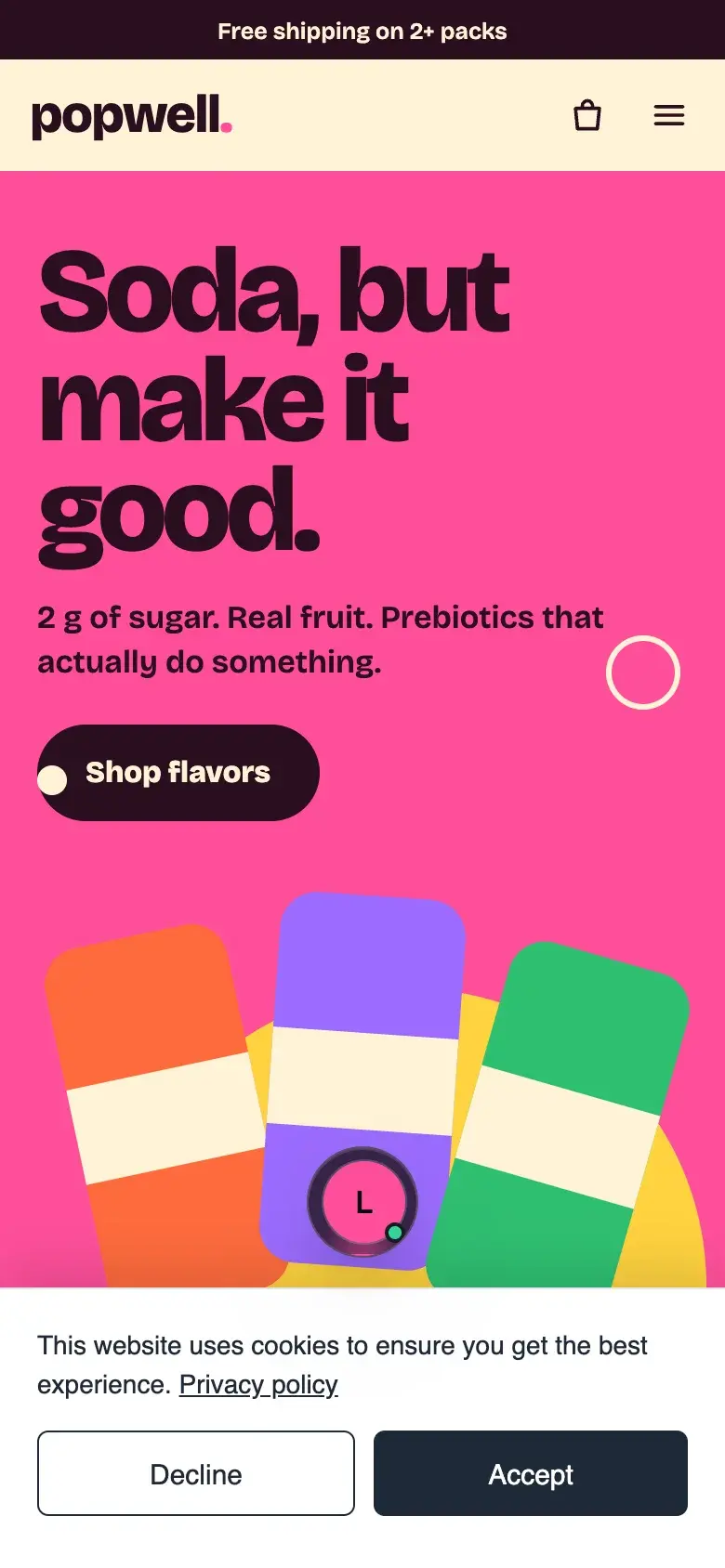
The prototype was validated on four fictional stores. Before coding, I tested it against 1,000 Shopify stores from our target market, in the US, Canada and France, opened by an automated browser on desktop and mobile: 861 could be analysed. Text contrast holds on 100% of them. The rest of the field forced four adjustments, all built into the prototype before the code.
Dodge
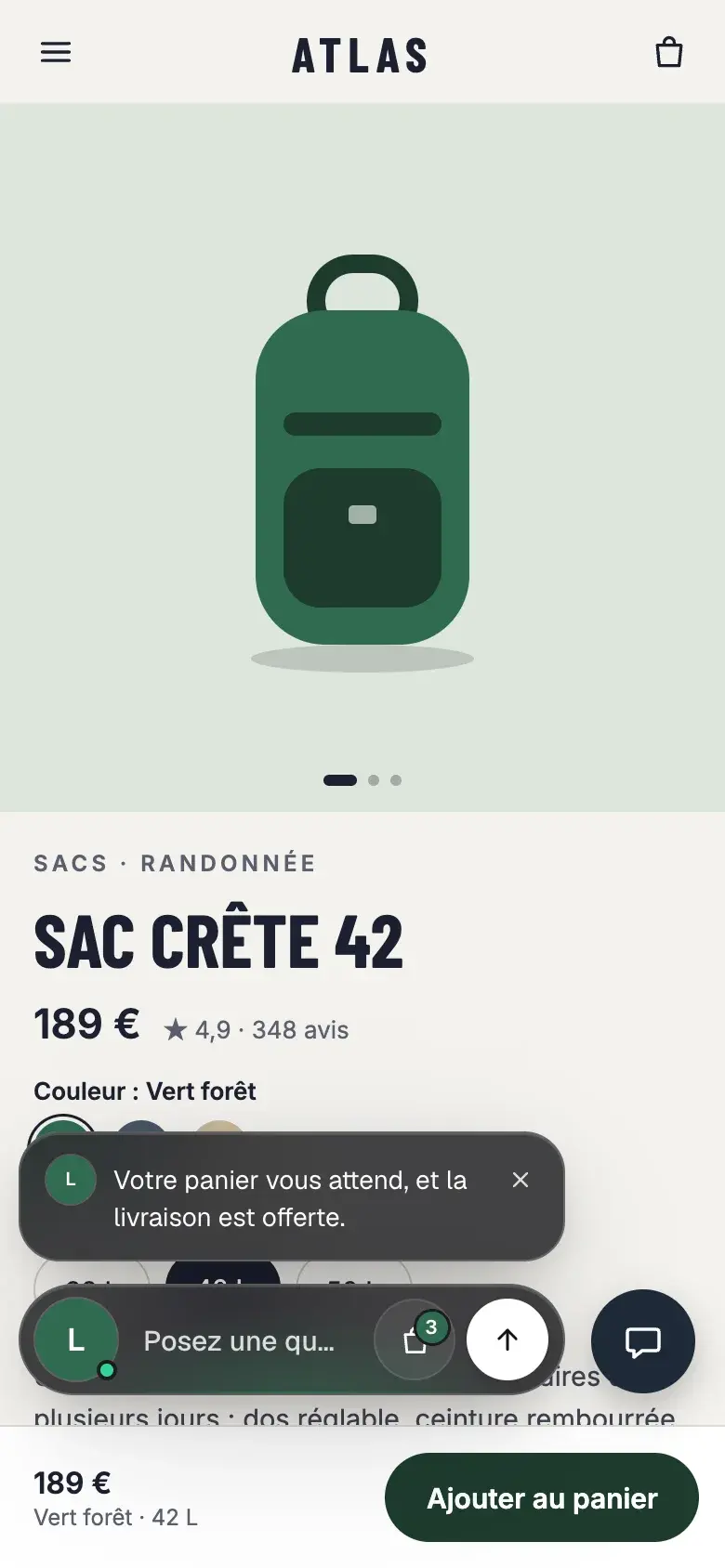
The bottom of the screen is already taken at load on 51% of pages, mostly by cookie banners. While the banner awaits an answer, the widget shrinks to its avatar, resting above it. It also rises above sticky add-to-cart bars.
Fallback colour
45% of brands have no truly coloured colour: black, grey or white. The widget then takes the Shopify Brand secondary colour, otherwise a neutral light.
Auto glass
Smoked glass by default, light glass when the page around the widget is dark. Weak edges drop from 16% to 6% of stores.
Another chat
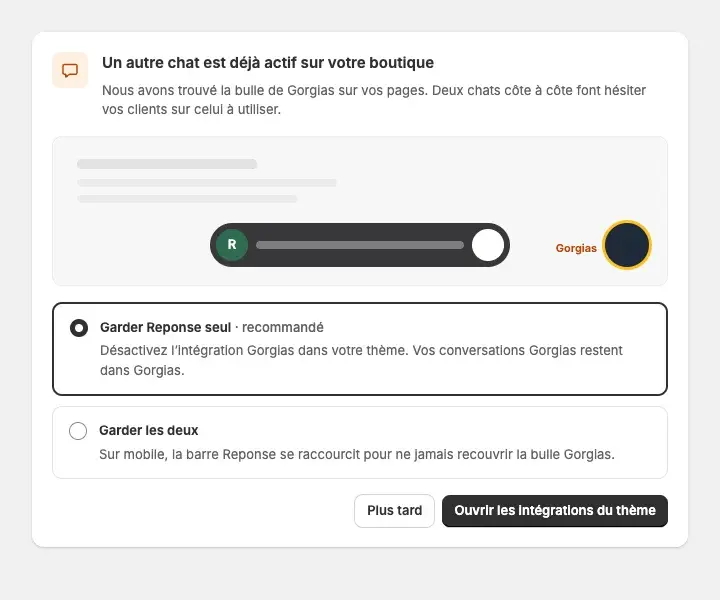
64% of stores already run a chat, Gorgias first. On mobile the bar shortens so it never covers it, and the admin offers to keep Reponse alone or both.
One single object
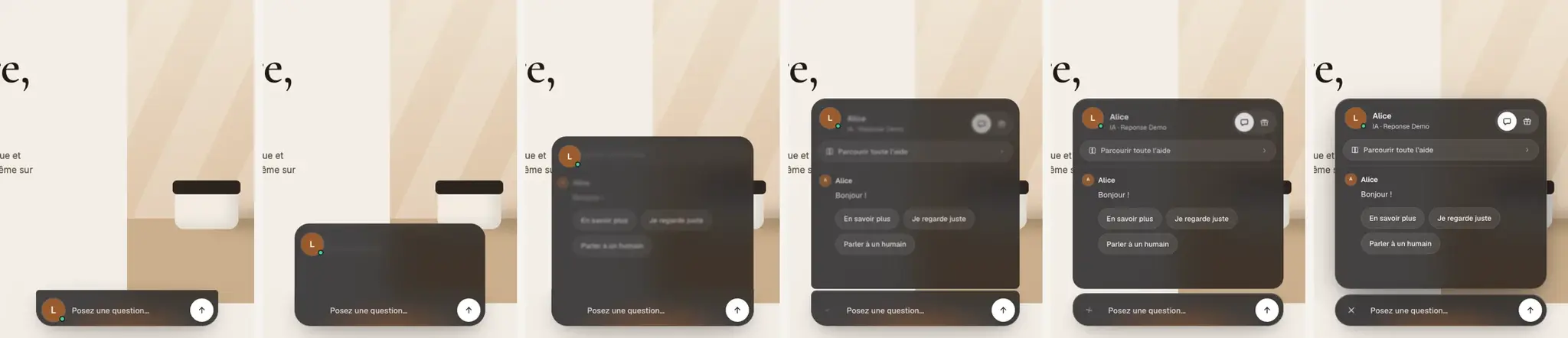
On opening, the bar and the panel used to move separately: two layers of glass overlapping. I wanted it to read as one component. The bar stretches upward into a single block of glass, the panel grows out of it without a seam and widens with it, and the avatar rides just under the edge up to the header. The block only splits at the end, when the 10 px gap opens. Each version was proven on the prototype first, frame by frame, before reaching production.
Fixing in the field
The day after launch, I tested the whole chat in production, on a Shopify test store. Each issue was measured before and after the fix, including the AI's behaviour, replayed five times on each scenario.
| Issue | Before | After |
|---|---|---|
| White flash on open | Panel 99% white for about 1 s | 1% at most, over 75 captures |
| "Chat with us" from help | Click did nothing | Back to the chat, cursor in the bar |
| Recommended products shown as a card by the AI | 2 answers out of 40 | 39 out of 40 |
| Product already on screen | Repeated as a card in the chat | Replaced by size or variant advice |
The campaign
With the widget live, it had to be shown. The ad follows a shopper at 11:47 PM: a question, an instant answer, the product card, add to cart, order tracking, help, the human handover, loyalty, then mobile.
It is written and edited in code, frame by frame: a voice-over picked after casting four voices, music composed for the film, every word on screen timed to the voice, mixed to platform loudness (−14 LUFS). Eight cuts, in French and English, in 16:9, 1:1, 4:5 and 9:16, adapted for the site's live chat page, e-mail follow-ups, the blog and social media.