A back-office native to the Shopify admin
Context
Reponse started as a standalone dashboard: to answer their customers, merchants had to leave Shopify. In September 2026, I decided to move everything into the Shopify admin, where they already spend their days.
One rule guided every screen: commerce stays with Shopify, the customer relationship goes to Reponse. Orders, products and customers open in Shopify's own pages; Reponse brings tickets, loyalty, referrals and its AI agents.
Role
As founder, I wrote the briefs, commissioned the audits and made every design call, leading a team of AI agents for code, tests and QA.
Goals
A back-office you can't tell apart from Shopify: no account to create, with the admin's own components and gestures. All customer service in one place, from chat to e-mail. Settings that do exactly what they say. And an app that also works from Shopify Mobile.
Inside the admin, seamlessly
The back-office opens inside the Shopify admin and reuses the Shopify session: no account, no password. Rather than rewriting everything, I had the existing app dressed in Polaris's exact values, Shopify's design system, then aligned with the admin's new interface. On phones, lists become two-line rows, confirmations become Shopify's own and settings show as cards.
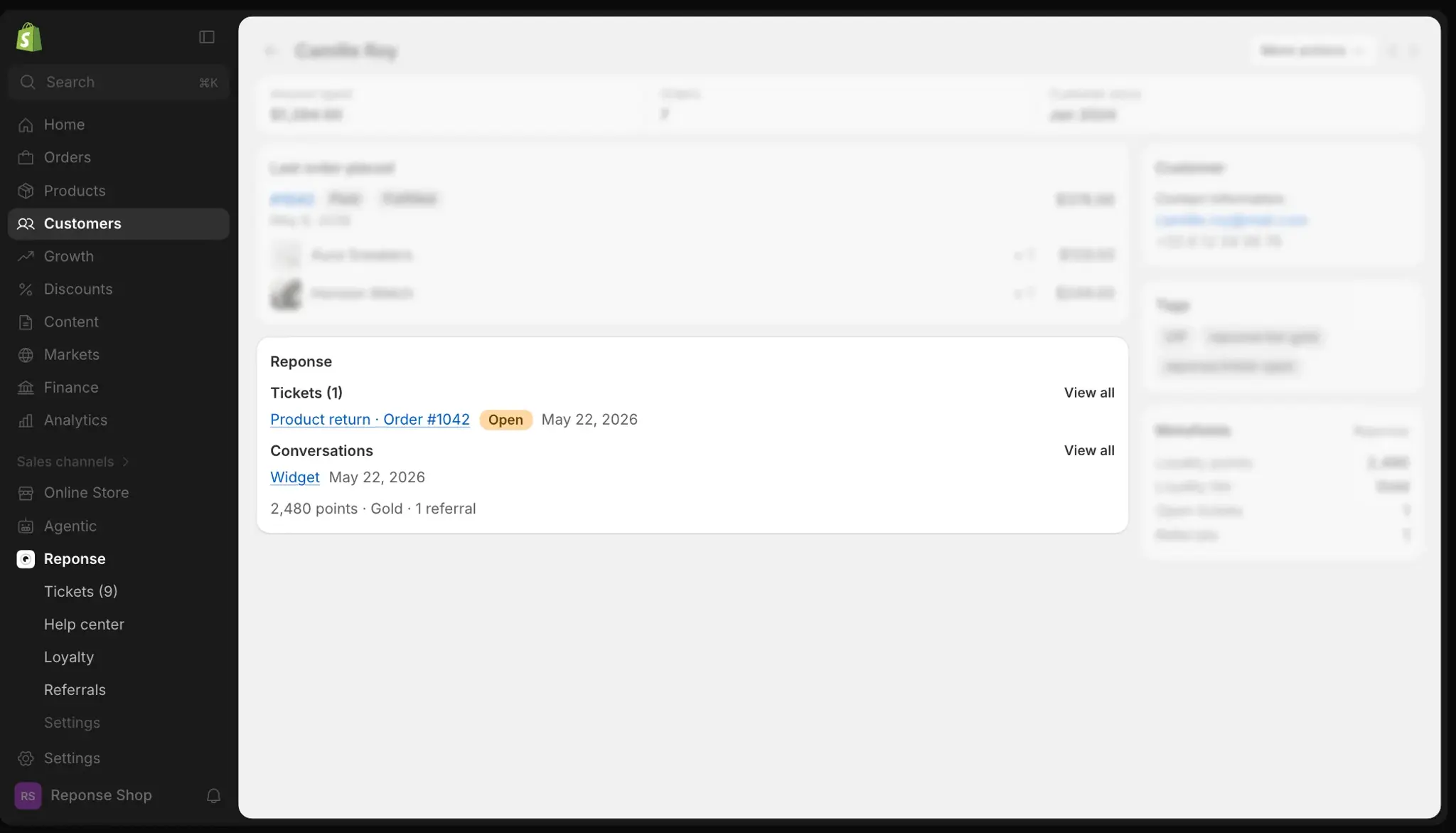
Reponse also shows up where merchants already work: on the Shopify customer page, a block sums up the customer's tickets, conversations and loyalty points, and Sidekick, Shopify's assistant, reads Reponse's data.
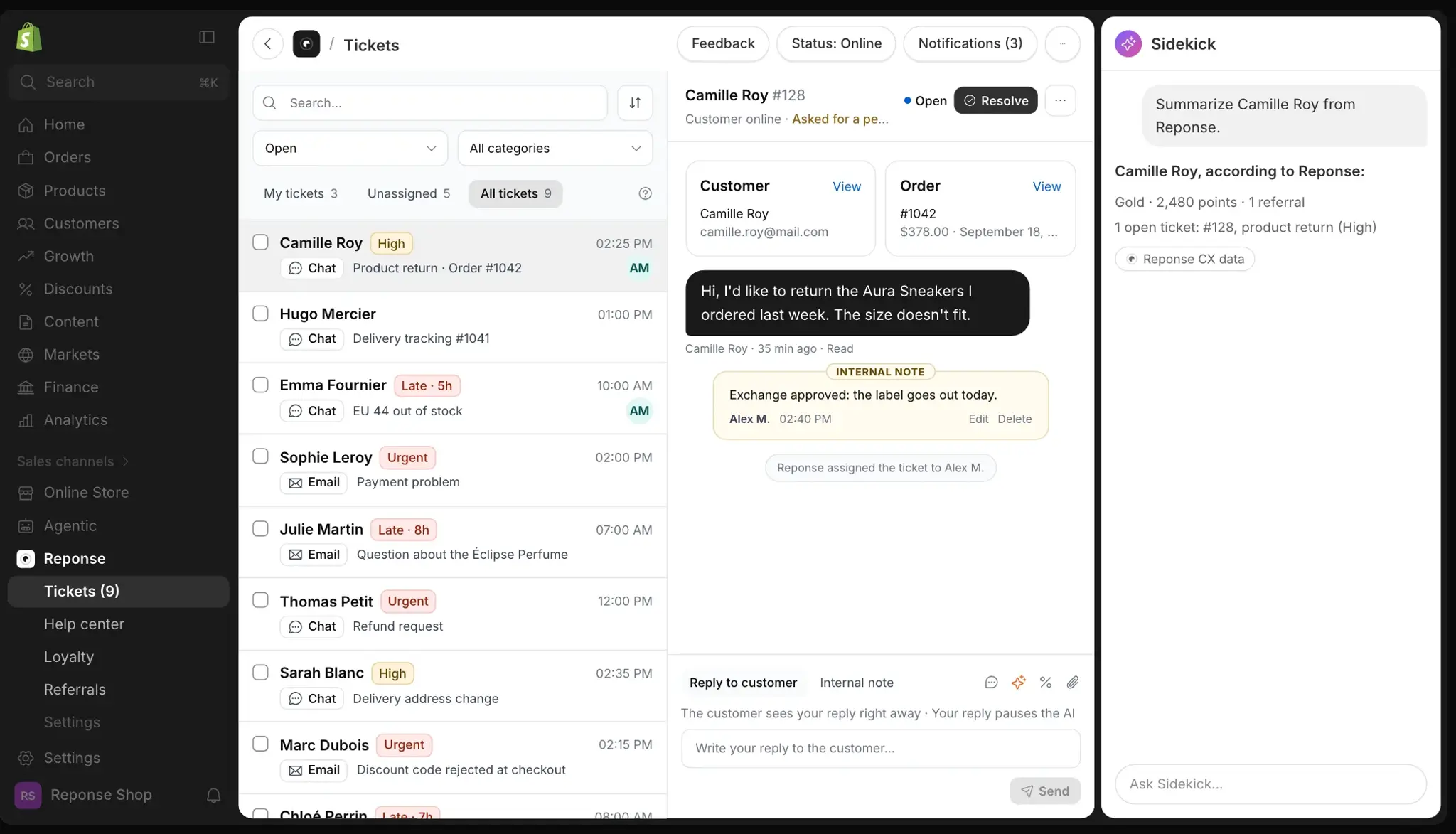
A first run on one page
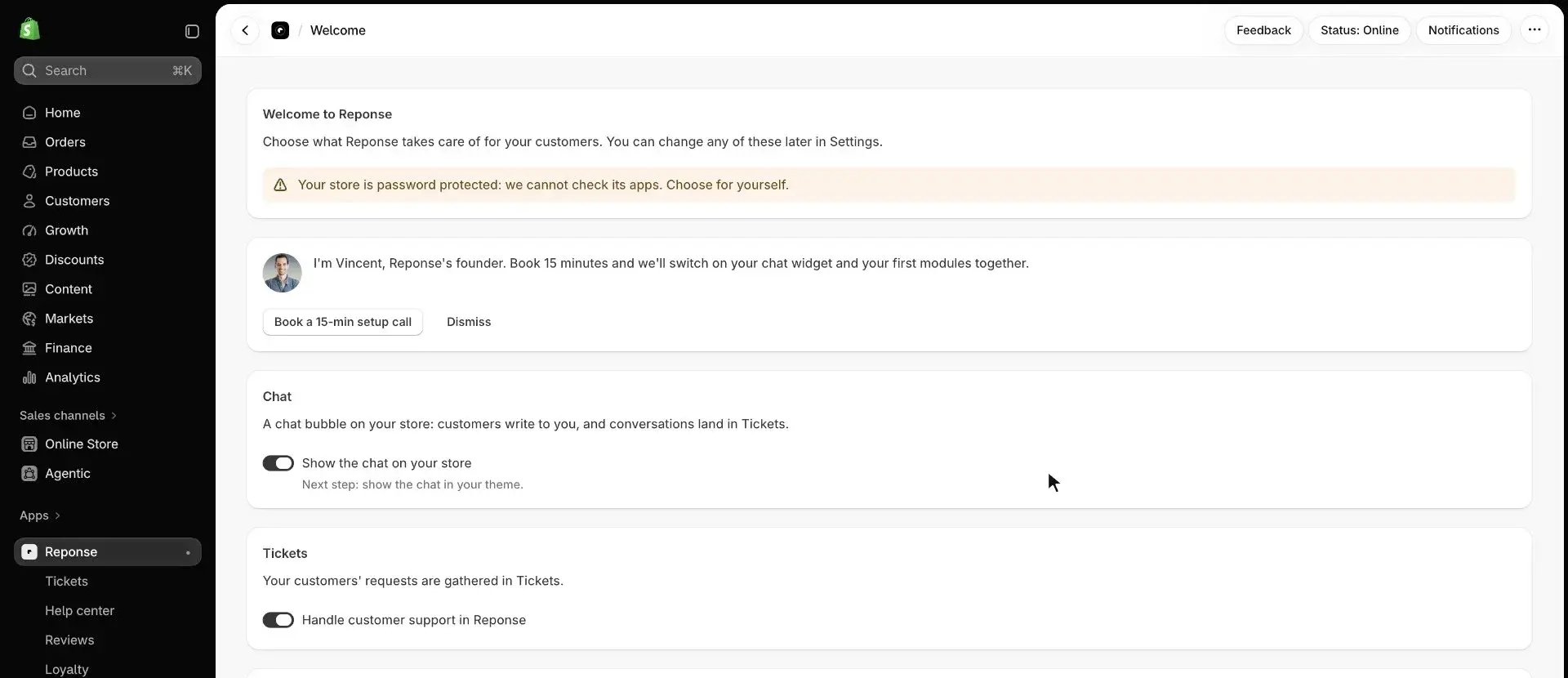
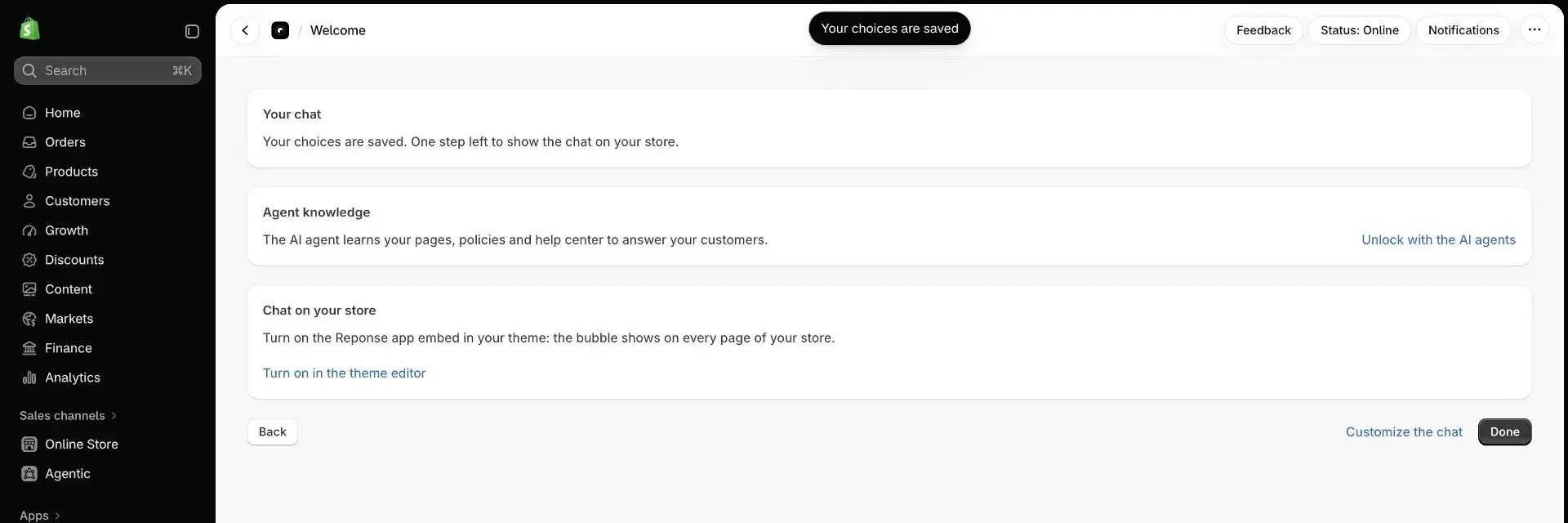
Shopify's rules forbid a window that opens on its own at load, so the welcome is a page. Merchants pick their modules there, one switch each, and can book a 15-minute call with me. If another support tool is detected on the store, the page flags it without ever switching it off for them. Once the choices are saved, one step is left: showing the chat on the store.
Settings that tell the truth
A settings audit found switches that lied, and one worse case: the Support Agent was silently off for every store installed from the App Store. Three lots followed.
The same standard applied to what the AI agent knows: the old "Knowledge" screen passed it no documents at all. The agent now reads the store's pages, policies and help center on its own, and refreshes every day.
Keep its word
Every setting does what it says. A double opt-in choice the code never read, rewards configured that nothing paid out: fixed or removed.
One place
A setting lives in one place only. The duplicates across Reviews, Notifications, Loyalty and Referrals are gone, and tickets have their own section.
One gesture
Everywhere, saving goes through Shopify’s native save bar. No more browser alerts, no more English left in the French interface.
Tickets: one queue, AI as a draft
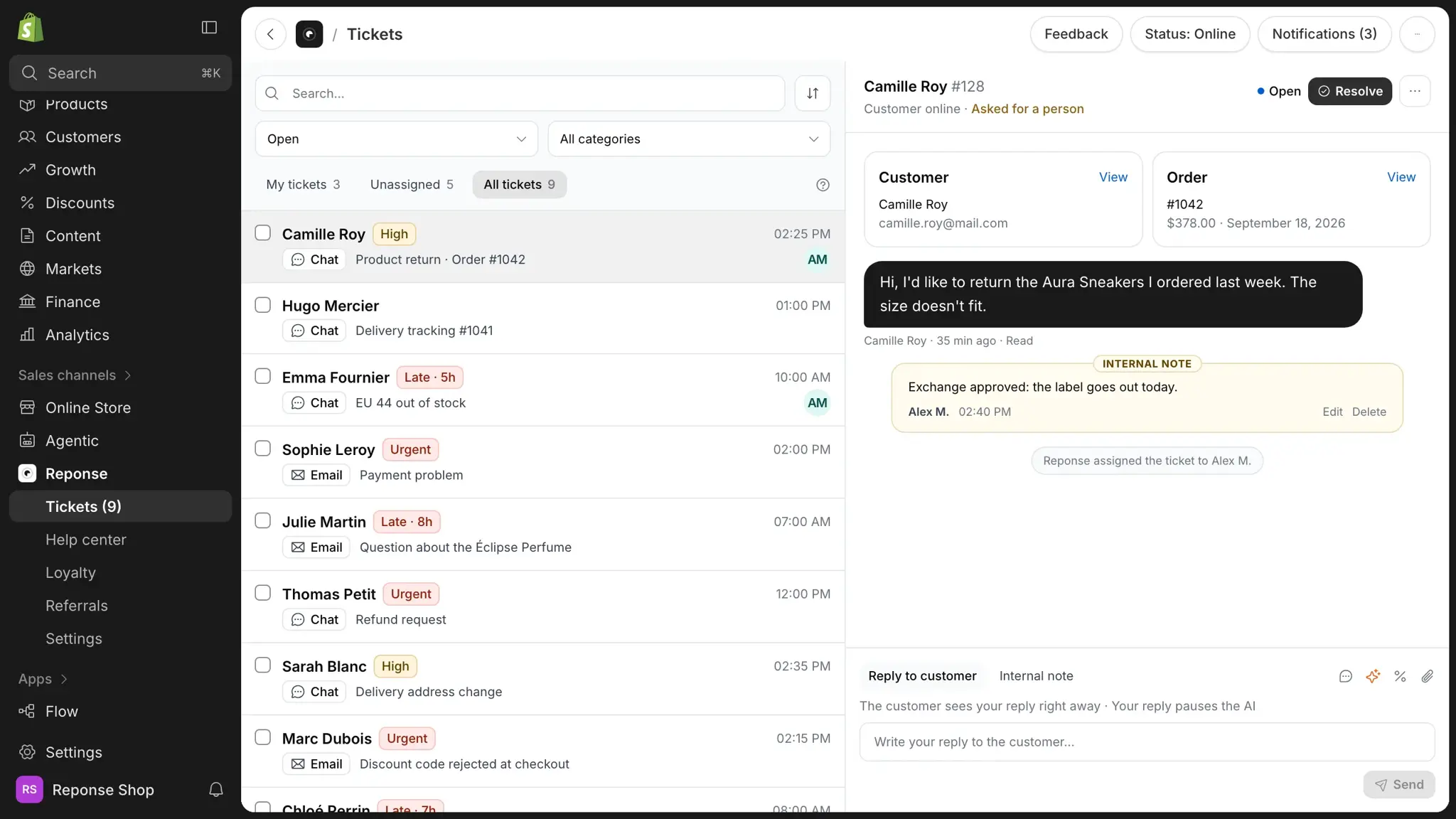
Chat and e-mail land in the same queue, with a number per ticket, assignment, internal notes, history, and Shopify's customer and order cards next to the conversation. The list was redrawn as two-line rows with a single badge: 17 tickets visible at a glance, against 9. The AI drafts a reply in the composer but never sends on its own: someone on the team reads, adjusts and sends.
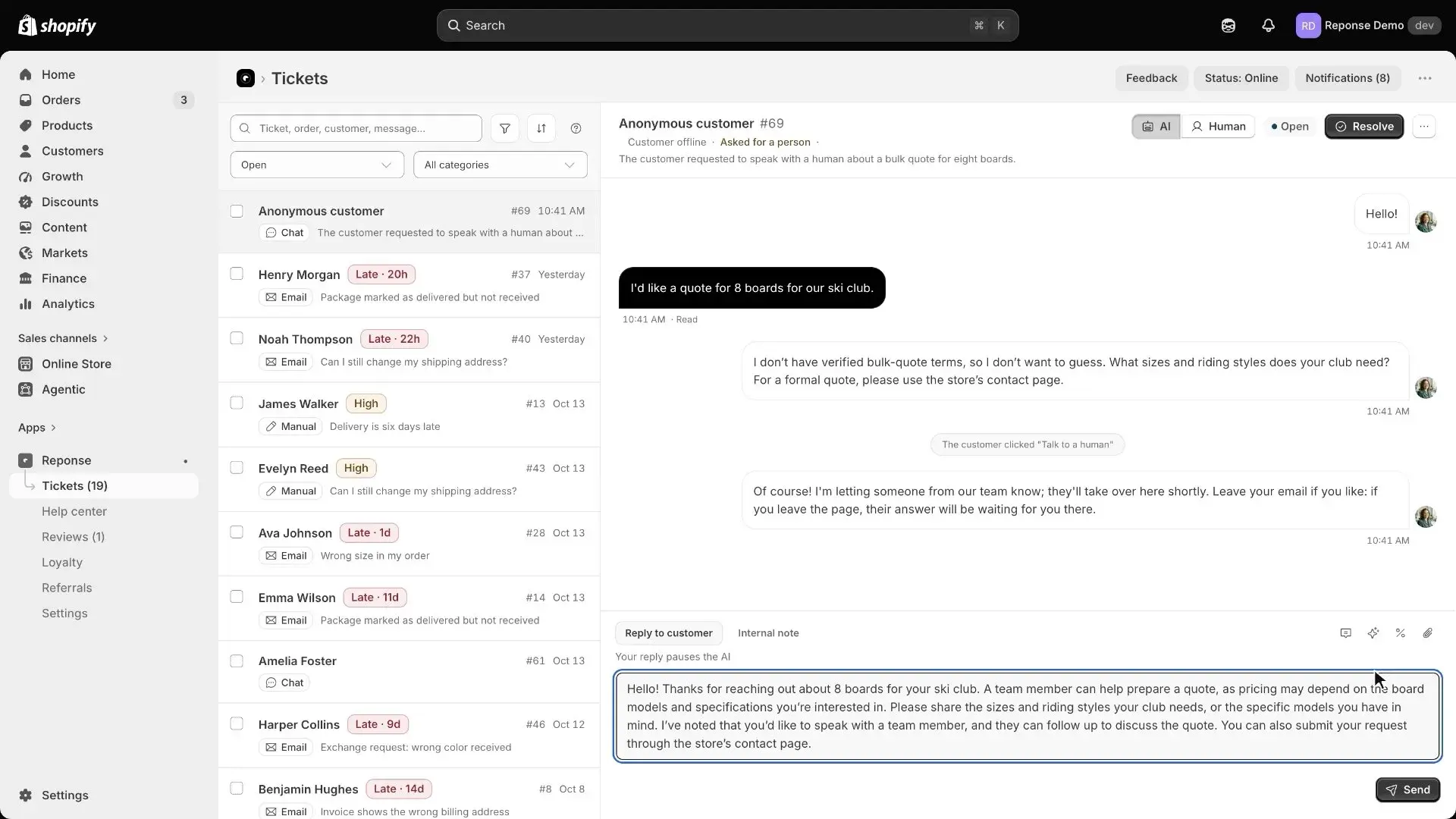
Loyalty and referrals
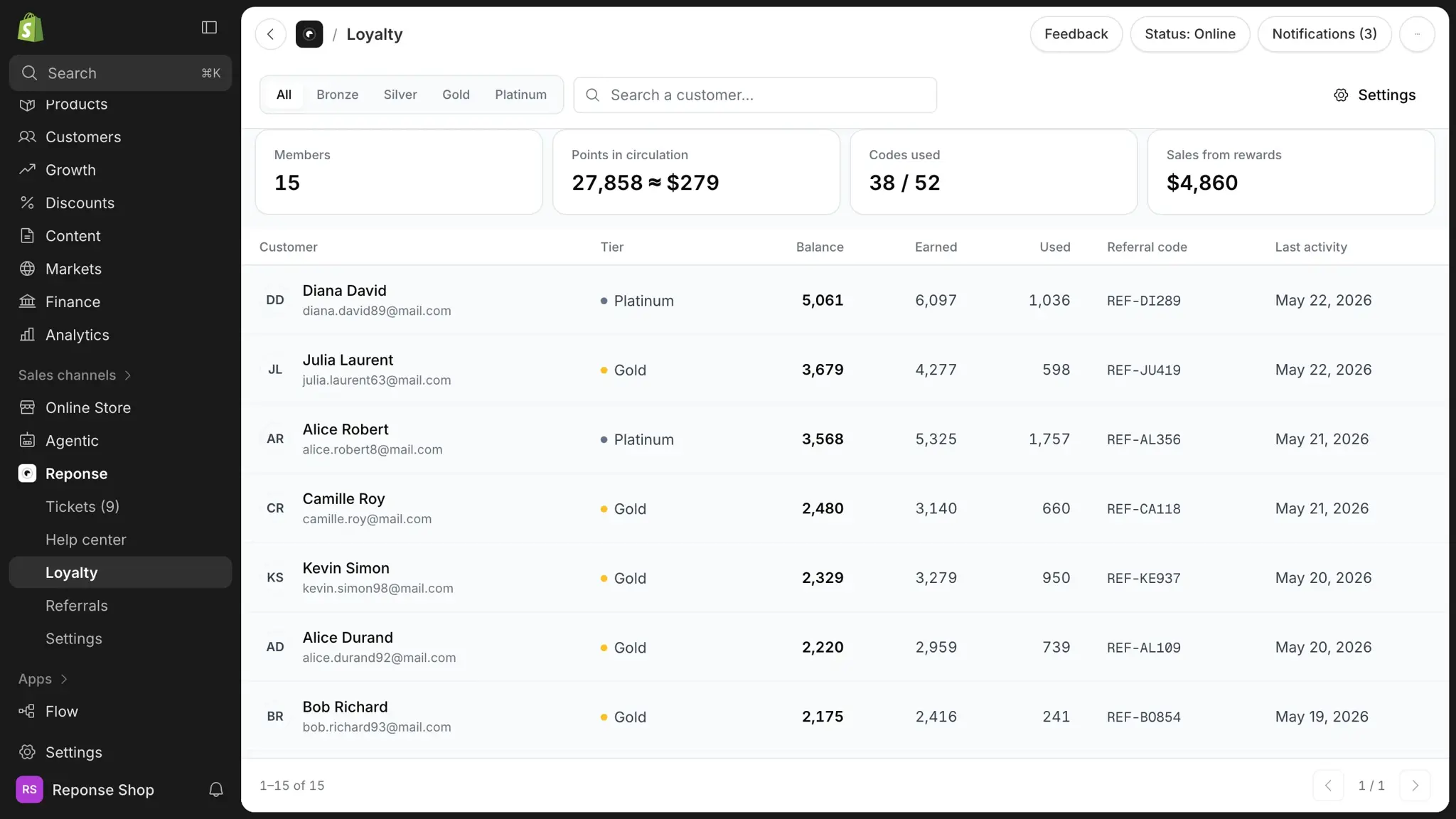
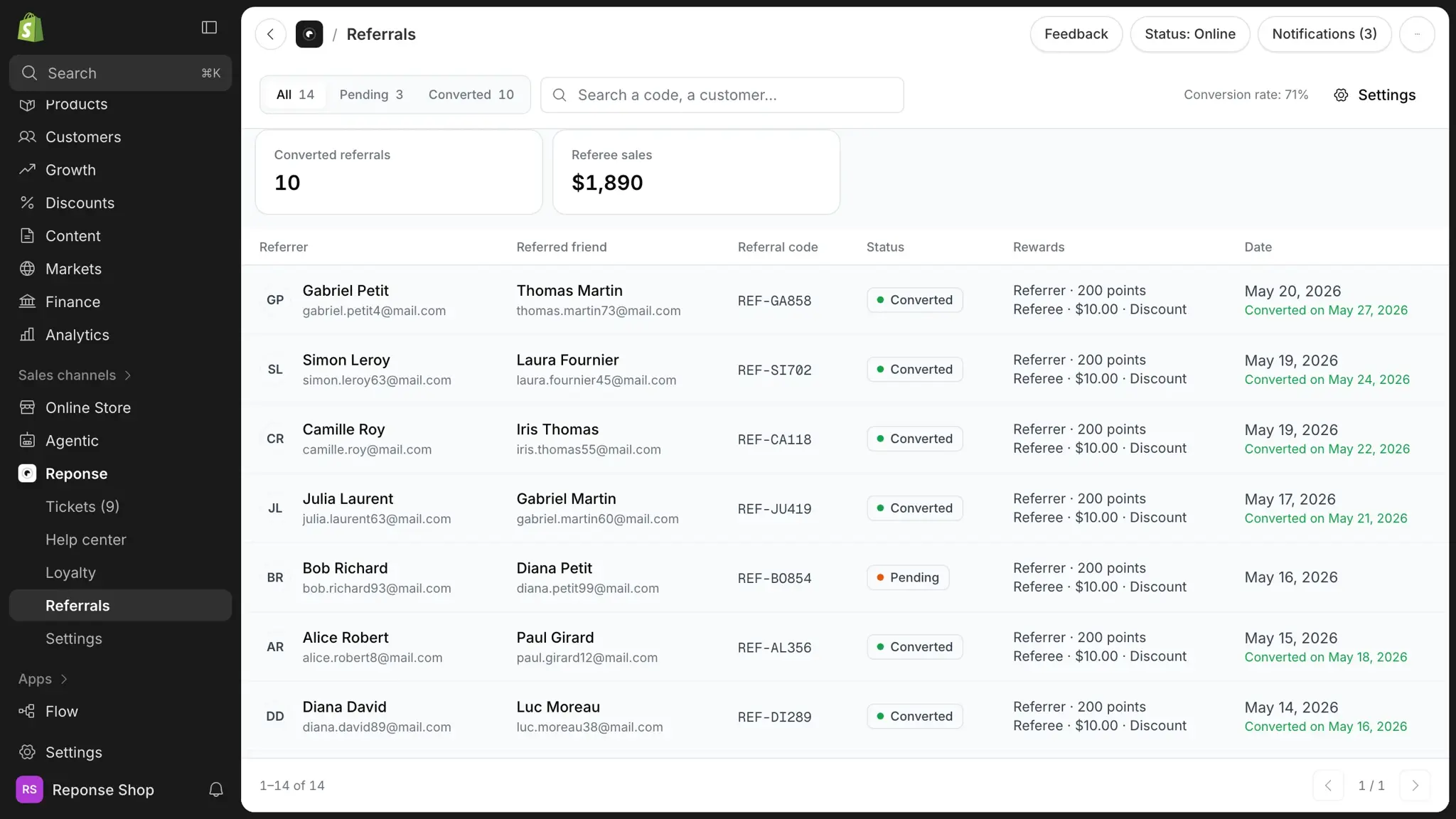
Both programmes start from their list: members, tiers, points in circulation, codes used, sales generated. A setup checklist guides the first configuration, and merchants can adjust a customer's points by hand.